
Aug 11 2010

CG Jewelry Shoot

CG Jewelry shoot July 26, 2010

My blog and photos look best if viewed using the Firefox browser.

From time to time I will check out Craigslist.org to see what is available in my area for photo gigs or events.  Sometimes I can find a good job to check out.  I recently responded to a post for a fashion intern.  I like to respond to posts that are not directly photography related, but could use photography at some point.  I respond to these type of posts because most of the photography jobs listed are for trade of pictures and are not actual paying jobs.  The post I replied to turned out to be a jewelry maker from Coconut Grove (Miami), WWW.CECILIAGONZALES.COM.  She replied back excited about a collaboration project for her jewelry.  After a couple of e-mails, we set up a date for a photo shoot.  (You can click on any image to enlarge)

After arriving at her location, I got a tour of the studio.  From there, I decided upon what equipment to use.   Cecilia had a large, white, vinyl window shade that was perfect for the background.  I thought that a high-key style lighting set-up would be great for the look that Cecilia wanted to show.

The space I was working in was about twelve foot by ten foot.  I wanted to light the background with my umbrellas, but because of the space limitations, I used my Creative Light softbox strips.  I used two strips for the background, one on each side of the subject.  For my main light I used the Creative Light softbox 3′ Octa just above the camera position with a 42″ silver reflector under the camera position.  My power came from two Profoto power packs.  The background was lit with a Profoto Acute1200 with two D4 heads and the main was run with the Profoto Acute600B with the AcuteB head.

You can see my Creative Light softboxes.  Strips in the back, the Octa in the front.

You can see my Creative Light softboxes. Strips in the back, the Octa in the front.

I always meter my lights.  I use an old Sekonic508L light meter.  My target range for my subject that I decided on would be around F/8.  I set up the meter for ISO 100 and started checking my exposure.  I got the background exposed for F/11, and I got my subject metered for F/9, close to my target range of F/8.  I overexposed the background a little so I would have a nice, clean, white background.  To trigger my lights, I used all pocket wizard radio slaves.  I used the Mini TT1 on camera, the Plus II Transceiver on the Profoto Acute1200, and the built in PW receiver on the Profoto Acute600B.

Now it’s time to start shoot’n.  The first frame that I shot included my X-Rite Color Checker Passport.  The Passport helps with the white balance of the photo.  You can color correct the photo by using the eyedropper tool in Photoshop or Lightroom and clicking on the neutral grey color patch on the Passport. One of the more useful tools of the Color Checker Passport is the software that it comes with.  The software is a plug-in for Lightroom.  I will download all my images into Lightroom, then pick the frame that has the Color Checker Passport included.  Then I export this file with the Passport plug-in, because it automatically builds a camera profile for the camera and lens combination, and stores the profile under the Camera Calibration category in Lightroom.  This helps use the full tonal range of the camera, plus syncs up all the photos in one easy click.  This really streamlines the workflow.

Before     and      After calibration

Before and After calibration

You can see the difference in the before and after image with the Color Checker Passport.  Notice the difference in the tonal range and clarity.  The one on the left is straight out of the camera.  The one on the right has had the camera calibration added.  You see the eyes are brighter, the skin is warmer, and the Passport’s color targets have more contrast and tonal range.  The Passport is a very useful tool.

Before and After Calibration

Before and After Calibration

These two images are a before and after calibration.  The one on the left is straight out of the camera.  The one on the right has had the calibration added.  Plus, I did just a very basic clean up with the background, so it looks really white.  I also removed some blemishes, brightened the eyes, softened the skin, and sharpened the jewelry.  I did this to all the photos you see in this post and on my website.  You can see different images from this shoot on my site, WWW.TIMBREASEALE.COM.  Remember you can click on any image to enlarge.

The photo shoot didn’t last very long.  I was there for about four hours.  I set up the equipment the first hour, shot for about two hours, then broke down the equipment the last hour.  I shot close to two hours and rolled out 1003 images.  I had a great time and wonderful hospitality.

I wanted to share the steps that I took for basic lighting set-up and the equipment that I used to capture these images.  I also wanted to share my experience of the photo shoot and pass along some basic information for aspiring photographers.

I created some wonderful images for Cecilia to use for her comp cards and website.  Please check out her work at WWW.CECILIAGONZALES.COM.  She is a very talented artist.  Her jewelry has a very organic and natural feel and can complement any occasion.

I would like to thank Cecilia for an excellent opportunity to photograph her jewelry.  I would also like to thank our models, Ashlee and Madelyn, for doing an excellent job working the looks.  Thanks again for a successful photo shoot.

Thank you for reading.  I hope you enjoyed!


Aug 3 2010

Environmental Impact

CLICK ON ANY PICTURE TO ENLARGE

I have been working with an individual who is trying to make people aware of their environment and conservation through visual impact.  Do you know what happens to your garbage?  Do you know what happens to your paper once you place it in the trash can?  Do you know what happens to your plastic that you recycle? Do you know what happens to Styrofoam after you bring home take-out food and throw it away?  Do you know what happens to your CRT television once you get that new plasma, and you leave your old TV out for the trash pick-up?  Do you know what happens to household chemicals that don’t get placed in recycling?  All these are questions that most people don’t think about, but are important to understand.

The organization that I have donated my time to is aLEAFproject.com which stands for Living with Ecological Awareness in Florida.  Kimberly (the director, creator and also my partner) is out on a mission to educate South Florida about healthier living in a cleaner, sustainable environment while using visual impact.  We have worked together at several locations gathering pictorial information, as well as information on the processes that waste and recycled materials go through.  This will be an ongoing project starting in South Florida and expanding throughout the state.  We have been to 4 facilities, lectures, and events over the past few months to gather information to be able to launch aLEAFproject.com.  The website is still in its infancy stage, but is growing rapidly.

One of the first events we attended was for household hazardous waste and electronics recycling.  As a participant, you had to check in to show that you were a resident, then drive to the designated drop-off area.  These areas were divided into specific zones.  These zones contained materials like used motor oil, household chemicals, paint, tires, vehicle batteries, pressurized gas bottles, and electronics.  It’s set up where you don’t even have to get out of your car.  All of these items would then be recycled properly.  The electronics were recycled in a way that volunteers would take the computers and television sets, refurbish them, then donate the items to special needs children and the elderly.  Recycling like this is good because if you leave these items out on the curb for regular trash the hazardous materials seeps into the ground and get washed away into the water system.  You also help out others that might not be able to afford a computer or TV.

CLICK ON ANY PICTURE TO ENLARGE

The first event was a special community drive, and they hold events like these at various locations throughout Broward County.  The second destination we attended was the county drop-off location.  They except all of the same items but on a larger scale.  The house paint that is recycled goes to a processing plant that is remixed into specific colors.  These colors are home owner association-specific and free to anyone that wants to paint their house to the HOA codes.  They told us that something like only 5% of the county population recycle thier electronics and hazardous waste.  That makes you think, where does it all go then?  That’s a really good question that I don’t have an answer to.  I’m sure the answer to that question would not end on a positive note.

CLICK ON ANY PICTURE TO ENLARGE

CLICK ON ANY PICTURE TO ENLARGE

The third destination was the Wheelabrator waste-to-energy facility.  Wheelabrator is operated by the Waste Management company.  This place was really cool, because it was a giant incinerator.  Seeing the boiler and the grates reminded me of where my dad worked at the saw mill, but on a much larger scale.  Wheelabrator incinerates the trash into energy.  The energy created is sold to Florida Power and Light and feeds into the state’s electrical grid.  This helps keep the cost of kilowatts down for the consumer, which means a lower power bill.  This process takes waste that would normally sit in a landfill for years and years, and gives the waste a new life.  The ash is then taken to a fill.  Many of the “hills” you see in South Florida are ash piles or garbage landfills, some from Waste Management.  That’s what they call mountains down here.

CLICK ON ANY PICTURE TO ENLARGE

CLICK ON ANY PICTURE TO ENLARGE

CLICK ON ANY PICTURE TO ENLARGE

The vulture is a migratory bird.  They are scavengers that help clean the environment by eating dead animals.  They are often spotted flying in what looks like a figure eight pattern called a kettle.  This is how they search for food and is part of their play time.  You might find them around the landfills, like the vulture in the picture above.  The vulture plays an important role in nature’s waste management–so when you see one, be thankful for the job they do.

The fourth place we visited was the Reuter Disposal and Processing Center.  What they do is to separate the paper, aluminum, plastic, and glass that is collected for recycling.  After they separate the materials, they are bundled, then sold to another recycling company.  These other companies take the bundled materials and make new products with them.  These new products find their way back to the stores then back to your home.  It’s good to practice the three R’s: reduce, reuse, and recycle.

CLICK ON ANY PICTURE TO ENLARGE

CLICK ON ANY PICTURE TO ENLARGE

CLICK ON ANY PICTURE TO ENLARGE

We toured these facilities, took plenty of photographs, and interviewed some of the workers in hope to better understand the behind-the-scenes of everyday trash.  aLEAFproject.com is committed to bringing environmental information to the average person.  There are also more topics that will be added to the project like healthier living, finding fresh veggies from local farmers, and reducing your paw print.

My role working with aLEAFproject.com as the photographer is to help educate the public through interesting and engaging photos.  I try to show things in a different way or with a new perspective whenever possible.  To read more in depth about the facilities and Living with Ecological Awareness in Florida please check out aLEAFproject.com.  Thank you.

If we all work together we can make a change in our environment.


Jul 15 2010

July 2, 2010

Hollywood, Florida

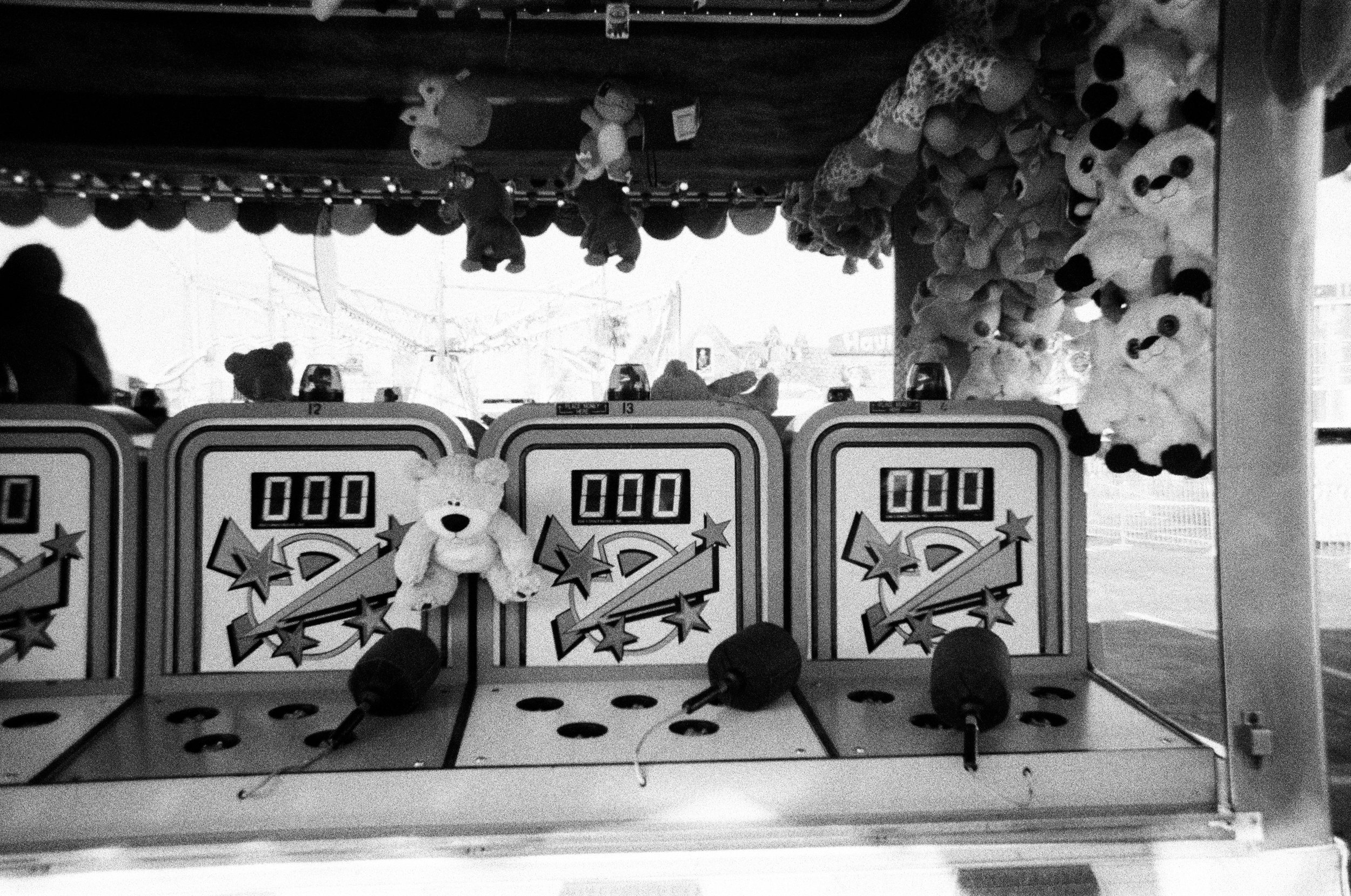
From time to time, I get all caught up with work for others, and I don’t spend time on my own photography.  Back on July 2nd, I took a walk on the Hollywood Beach boardwalk to just enjoy the sun, take my own pictures, enjoy a day off from work, and clear my head.  I am primarily a portrait photographer, but I have deep roots for black & white and artistic photos.  This was the purpose of the walk–to feel free, to create my own imagery.

While in college, all I shot with was black & white film.  I would buy bulk rolls of 100′ 35mm film with ISO specific canisters and roll my own rolls of film.   I always had plenty of film with me.  I had access to the darkroom and enlargers at the University, plus I had a make-shift darkroom in my closet at my apartment where I lived.  I loved being in the darkroom and processing my film, then printing the photos.  I shot black & white for a good 4 years (1994-1998) until I graduated.  After graduation, I got a job photographing high school seniors.  That was where I started shooting in color, which was medium format film.

I continued after graduation to shoot and develop B&W myself up until 2003.  In 2000, I got my first point-and-shoot digital.  In 2001, I got access to my first digital SLR.  My darkroom days started fading between 2001 and 2003.  The “digital darkroom” started to consume my taste buds.

Being able to sit down and print in color or B&W with one printer is really nice.  The quality of the color prints from my inkjet printer look better than what I could get from a professional lab.  Up until 2003 or so, the B&W prints (printed with an inkjet printer) still had a slight purple tint to them, but were still very good.  To date, the inkjet printers for B&W are up to par or surpass that of traditional silver halide printing.  You can acquire a dedicated set of black inks for archival printing that will last well past a hundred years.  I still miss the traditional analog darkroom, but the digital darkroom is here to stay with me now.  It’s better for the environment and safer for us humans too.

Printing with an inkjet printer is called giclée printing.  Giclée is derived from the French word “le gicleur” meaning “nozzle,” or more specifically, “gicler” meaning “to squirt, spurt, or spray.”  In other words, to spray an ink or dye on to a substrate (printing media).  This form of printing can be safer for the environment, because you have an ink that is water soluble and paper that is from a sustainable material like cotton or bamboo.

Now to get back on track.  I went out that day just to relax and to photograph whatever grabbed my attention.  I used to see or think in B&W, and it was all coming back to me.  These pictures inserted through this blog are from my walk.  I had a variety of subject matter all around.  There were not that many people out, so it was nice to just stop in the middle of the path and not be in anyone’s way or have someone else trip over me.  I had a chance to shoot with my creative side, which is when I  think of the final print in B&W or color before I press the shutter button.  I think about my final output when I shoot the scene or subject matter.  It was a nice, bright day with strong, blue skies and puffy, white clouds.  That is the making of a spectacular B&W photo.

I stayed away from my portraiture photography and just focused on my surroundings.  I shot landscapes, details, characters passing by, objects, trees, clouds, and colors, all while I was relaxing.  I had a very enjoyable time walking hand-in-hand with my passion.  My photographs are an extension of my vision, thoughts, and feelings-I am sharing my passion of photography with you, the viewer.  I hope that you can feel what I felt through my photographs.

As anyone knows me, I am from the fire hydrant capital of the world.  It’s hard for me not to notice a Mueller hydrant that is from Albertville, Al.  I just had to end this blog post with a world famous Mueller fire hydrant on Hollywood Beach.  If you would like to see the rest of my shots from my walk click this link–Hollywood, FL.  To look at more of my work check out my portfolio site, timbreaseale.com.